
An Important Notice from UMS IT
This is a reminder about the upcoming change to how you sign in to University of Maine System (UMS) services.
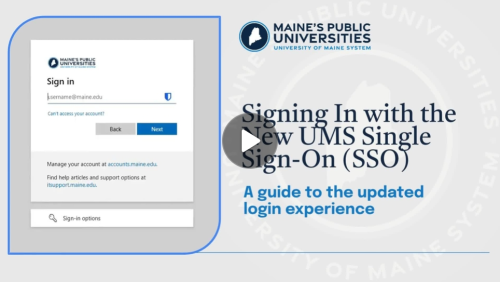
Starting on the evening of May 15, you will see a new sign-in page when accessing UMS services such as myCampus Portal, Gmail, Brightspace, and MaineStreet.
One important change: you must enter your full email address to sign in.
For example, if you previously entered jane.doe, you will now enter jane.doe@maine.edu.
For a walkthrough of the new sign-in process, please watch the following video:
Things to know
- There are no changes to multi-factor authentication (MFA) at this time. If you currently use Duo to verify your identity, you will continue to do so.
- If you use the advisee and course list application in the myCampus Portal, this application will open in a new browser tab instead of within the portal starting May 15.
- For more information on the new sign-in page, please visit New University of Maine System (UMS) Single Sign-On (SSO) Experience.
You can find more information on the SSO/MFA Modernization Project in the following articles:
- SSO/MFA Modernization Project FAQs
- What is Single Sign-On (SSO)?
- What is Multi-Factor Authentication (MFA)?
If you have questions, please contact the UMS IT Service Desk.