

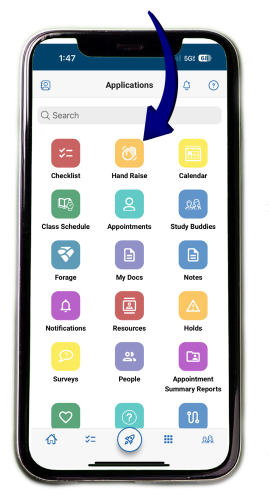
Need help with academics, advising, or campus resources? UMA students can now use the Hand Raise feature in the Navigate app to connect directly with the right support.
With just a tap, you can request:
- Academic support (tutoring or coaching)
- A mental health appointment
- A meeting with an SSC
- To speak with someone about your bill
- To learn more about Credit for Prior Learning
- Accommodations for disabilites
- To meet with a career or internship advisor
- To speak with someone about Financial Aid